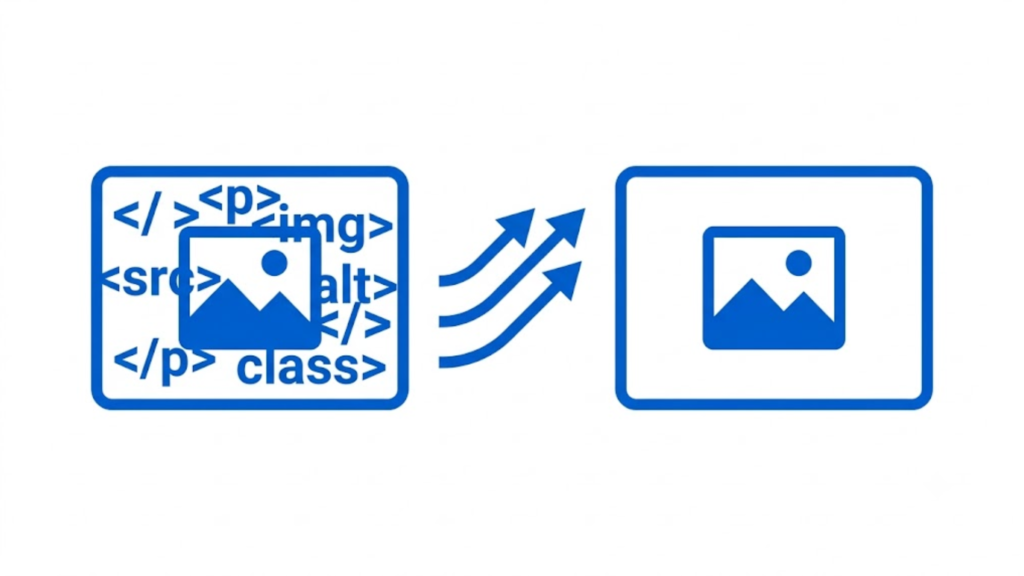
Website tags are HTML elements or labels used to structure content, identify topics, organize pages, and help browsers and search engines interpret a site. The word “tag” can refer to different things depending on the context. In web development, tags usually mean HTML tags, while in content management systems such as WordPress, tags are commonly used as topic labels for posts.
Understanding this difference is important because HTML tags and content tags serve completely different purposes.
What Are HTML Tags?
HTML tags are pieces of code used to define the structure and meaning of content on a webpage. They are written inside angle brackets, such as <p>, <h1>, <a>, and <img>.
For example:
<h1>What Are Website Tags?</h1>
<p>Website tags help structure and organize web content.</p>
In this example, <h1> identifies the main heading, while <p> identifies a paragraph.
Most HTML elements have an opening tag and a closing tag:
<p>This is a paragraph.</p>
The opening tag is <p>, the content is the text between the tags, and the closing tag is </p>.
Some HTML elements are void elements and do not require a closing tag. An image is commonly written as:
<img src="image.jpg" alt="Website example">
HTML tags tell the browser what each piece of content represents and how the document is structured.
Common HTML Tags on Websites
Websites use many different HTML tags for different purposes.
Some common examples include:
<html>defines the HTML document.<head>contains information about the document that is not normally displayed as page content.<title>defines the document title shown in the browser tab.<body>contains the visible page content.<h1>through<h6>define headings.<p>defines a paragraph.<a>creates a hyperlink.<img>embeds an image.<ul>creates an unordered list.<ol>creates an ordered list.<li>defines a list item.<div>creates a generic block-level container.<span>creates a generic inline container.<strong>indicates strong importance.<em>indicates emphasis.
These tags create the underlying structure of an HTML webpage.
What Are Tags in WordPress and Other CMS Platforms?
A second meaning of “website tags” appears in content management systems such as WordPress.
A WordPress tag is a label assigned to a piece of content, usually a blog post, to describe specific topics covered in that content.
For example, a website publishing articles about web development might have a post called:
“How to Embed a Google Form in HTML”
The post could have tags such as:
- HTML
- Google Forms
- Web Development
- Forms
- Website Code
These tags can help organize related posts around common subjects.
CMS tags are not the same thing as HTML tags. A WordPress tag called “HTML” does not automatically create an HTML <html> element. They are separate concepts.
Tags vs. Categories
On many CMS platforms, especially WordPress, tags and categories are both used to organize content, but they have different purposes.
A category generally represents a broader section of a website.
For example:
Category: Web Development
A post within that category might have more specific tags such as:
Tags: HTML, CSS, Forms, JavaScript
Categories are often used as the primary organizational structure, while tags can describe specific subjects or characteristics of individual posts.
A website does not necessarily need tags for every article. Adding many unnecessary tags can create additional archive pages without providing useful organization.
Are Website Tags Important for SEO?
HTML tags can be important for SEO because they provide structure and semantic meaning to webpage content.
For example, heading elements such as <h1>, <h2>, and <h3> help establish a logical content hierarchy. The <title> element provides the document’s title, while <a> elements identify links between pages.
However, HTML tags do not automatically make a page rank well. Search engines evaluate many signals, including the content itself, relevance, links, technical accessibility, and other page-level factors.
CMS tags have a different SEO role. A tag archive can potentially create useful navigational pages when it groups genuinely related content. However, creating dozens or hundreds of thin tag pages simply to generate URLs can create unnecessary site architecture and indexing issues.
What Is a Meta Tag?
You may also hear the term meta tag.
Meta elements provide information about an HTML document. They are generally placed inside the <head> section.
For example:
<meta name="description" content="A guide to website tags and how they work.">
The description provides information about the page. Other metadata can specify character encoding, viewport behavior, or other document information.
Meta elements are different from WordPress content tags because they are part of the webpage’s HTML structure.
Why Do Websites Use Tags?
Tags can serve several practical purposes depending on their type.
HTML tags:
- Structure webpage content.
- Identify headings, paragraphs, links, images, and other elements.
- Give browsers information about how content should be interpreted.
- Provide semantic meaning to different parts of a document.
- Help create an organized document structure.
CMS tags:
- Group related content.
- Help users find articles covering similar subjects.
- Provide additional content organization.
- Create relationships between relevant posts when implemented properly.
The Simple Definition
In simple terms, a website tag is a label or HTML element that identifies, structures, or organizes something on a website.
If you are working with HTML, a tag usually means code such as <h1>, <p>, <a>, or <img>.
If you are working with WordPress or another CMS, a tag usually means a topic label assigned to content, such as “HTML,” “SEO,” or “Web Development.”
Therefore, the exact meaning of “tag” depends on the context. HTML tags control the structure and meaning of webpage elements, while CMS tags organize content around specific topics.
More HTML Guide
Are Html And Css Programming Languages
Do My Html Homework
How To Add Alt Tags To Images In Html
How To Create Multiple Web Pages In Html
How To Import An Html File Into Excel
How To Integrate WordPress Blog Into Html Website
How To Link A Css File To An Html File
How To Make More Than One Page In Html
How To Put An Image Beside Text In Html
How To Put Text Under An Image In Html
How To Write A Paragraph In Html
What Is The Purpose Of Html In Web Development